From intent to production, with control, memory, and specs.
Have you ever wondered how you’re supposed to take that scrappy little prototype you hacked together last week and turn it into a production‑ready application, without burning out?
It’s fun to demo something that kind of works. But the real work starts when you have to harden it, document it, wire it into infrastructure, and keep everything consistent as the system evolves.
That gap from prototype to production is exactly where Kiro, AWS’s agentic AI IDE, wants to sit: an environment that thinks, acts, and builds with you, instead of just throwing autocompletes at your cursor.
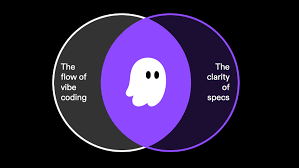
What Kiro Actually Is
Kiro is an IDE and CLI built around agents, not bolted-on assistants.
(The screenshots above give a high-level sense of how Kiro blends the IDE, agents, and workflow into a single experience.)
You don’t talk to it in terms of syntax; you talk in terms of outcomes:
- “Add a new capability to this service.”
- “Change how this flow is structured.”
- “Break a large piece into smaller, easier-to-maintain parts.”
From there:
- Kiro turns your intent into a spec.
- From the spec, it derives a plan and task breakdown.
- It then produces multi-file code changes that you review as diffs.
Everything still flows through your normal Git process. You review, commit, and ship. The agent helps, but you remain accountable for what goes on to production.
Instead of feeling like “autocomplete on steroids,” Kiro behaves more like a junior architect: it reads the brief, sketches a plan, and edits the repo in a way you can reason about.
Spec‑Driven Development vs “Vibe Coding”
Most AI-assisted development today is vibe coding, prompt, paste, and hope.
Kiro takes a very different stance. Its default mode is spec‑driven development.
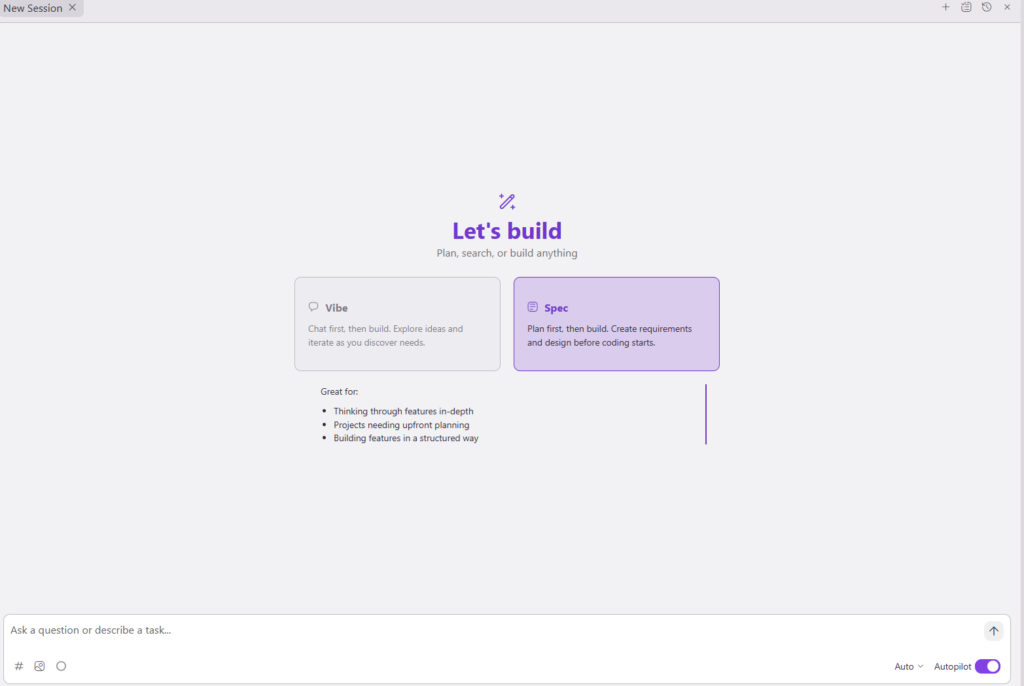
With Kiro:
- You start with a spec that captures what you want to build, the constraints, and the key decisions.
- That spec lives inside your repository as a first‑class artifact, not buried in a chat history.
- From the spec, Kiro derives tasks and a plan before touching code.
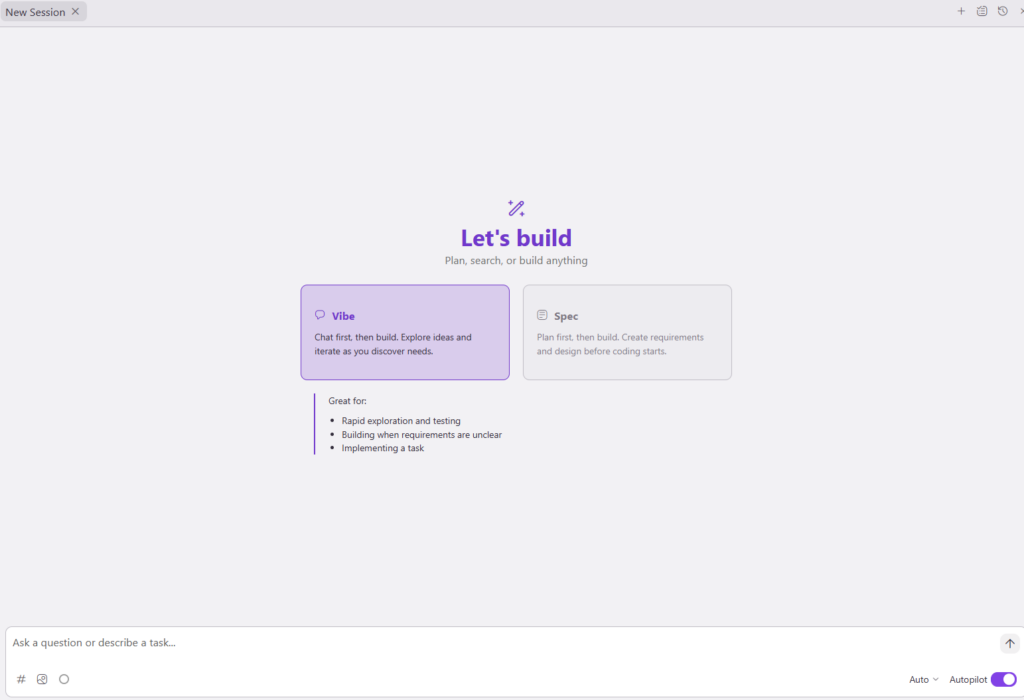
This gives you a clean, auditable chain:
Intent → Spec → Plan → Diffs
Weeks or months later, you can come back, read the spec, and understand why the code looks the way it does, rather than reverse‑engineering a pile of AI‑generated changes.
Steering: Teaching Kiro “How We Build Here”
Out of the box, no agent truly knows your stack, your conventions, or your constraints.
With steering, you encode things like:
- The tools and languages you commonly use.
- Shared patterns and conventions your team follows.
- General guardrails around quality, security, and maintainability.
Kiro uses these steering inputs to shape its behavior over time, so it starts behaving less like a generic code generator and more like an engineer who has actually read your internal docs.
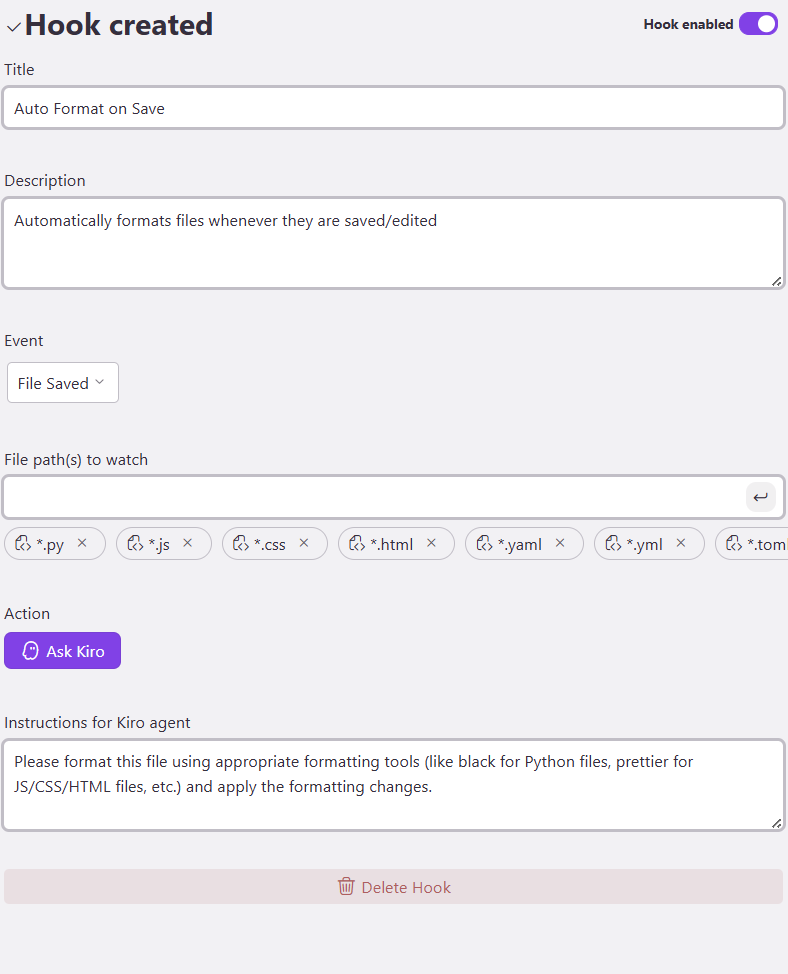
Kiro Agent Hooks: Turning Habits into Automation
Agent hooks are where Kiro starts to feel genuinely agentic.
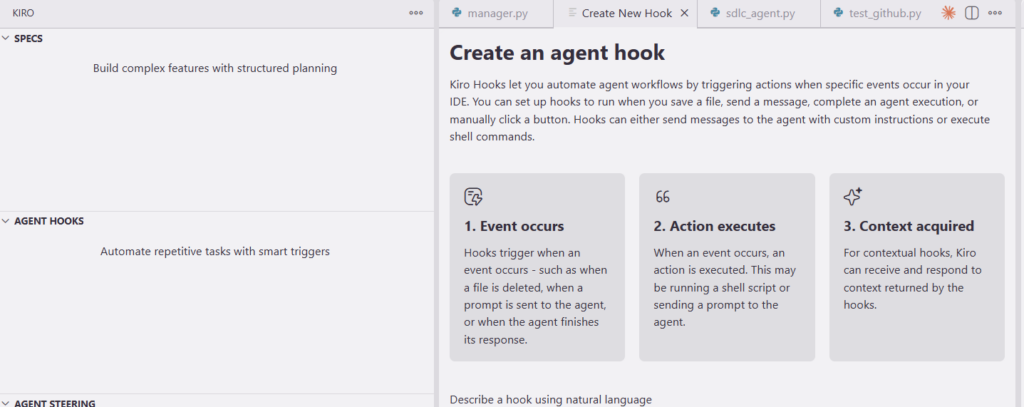
Hooks let you say: when this happens in my workflow, have Kiro do that automatically.
Examples:
- When a spec changes, keep related tasks and notes in sync.
- When certain parts of the codebase change, suggest follow-up work like tests or documentation.
- When important areas are modified, prompt a closer review.
Instead of relying on tribal memory, “remember to always do A, B, and C when this changes”, you encode those habits as hooks and let the agent help enforce them.
Model Routing: Using the Right Brain for the Right Job
Not every task deserves the same model. Explaining a bug, planning a large refactor, and generating boilerplate are very different kinds of work.
Kiro supports model routing, allowing you to:

- Use a lightweight model for fast explanations and chat-style interactions.
- Use a stronger model for spec generation and planning.
- Use a high-capability model for heavy code generation and multi-file refactoring.
With project-level preferences, Kiro can automatically pick the right model for each phase, while still letting you override when needed. You get control over cost, latency, and quality without constantly micromanaging settings.
Checkpoint and Restore: Courage to Refactor
One of the biggest blockers to using powerful agents is fear:
What if this wrecks the codebase and I can’t get back?
Checkpoint and restore is how Kiro gives you courage.
- You mark stable moments, clean builds, milestones, or “happy so far” states as checkpoints.
- After a series of agent-driven changes, if the direction feels wrong, you can restore to a checkpoint instead of untangling a mess.
- This works alongside Git commits, making large refactors safer and more approachable.
Knowing you can always roll back makes it much easier to let Kiro operate across multiple files and modules.
From Prototype to Production, with an Agent at Your Side
Put it all together, and Kiro starts to feel purpose-built for that journey engineers worry about most: taking something from prototype to production.
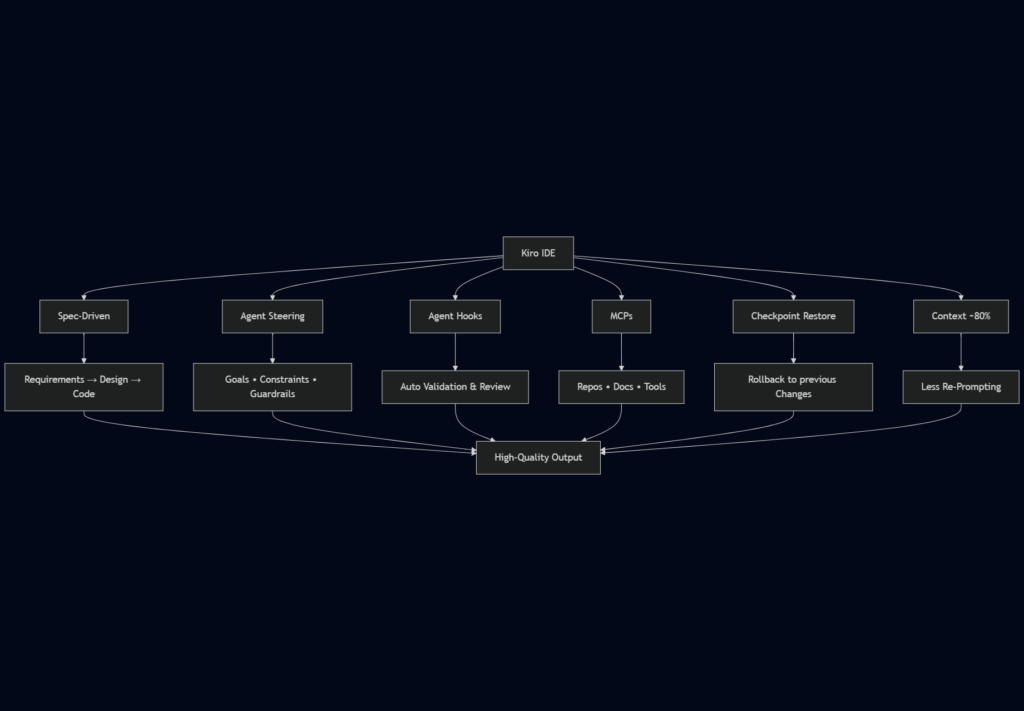
- Specs preserve intent so the “why” never gets lost.
- Steering aligns the agent with your stack and standards.
- Agent hooks automate the invisible rituals.
- Model routing applies the right level of intelligence at each step.
- Checkpoints keep everything reversible.
Kiro doesn’t replace engineering judgment, but it does raise the level at which you operate.